


How To Reset a Chevrolet Silverado Radio
Frozen screens, dropped Bluetooth connections, and unresponsive controls can turn a pleasant drive in your Chevrolet Silverado into a frustrating experience. Software glitches often cause these annoyances, and you can fix them right at home. Continue reading to learn several reset methods, from quick fixes to how to reboot the Chevy infotainment system, to get your truck’s radio working again without having to schedule service.
Why Your Chevrolet Silverado Radio Needs a Reset
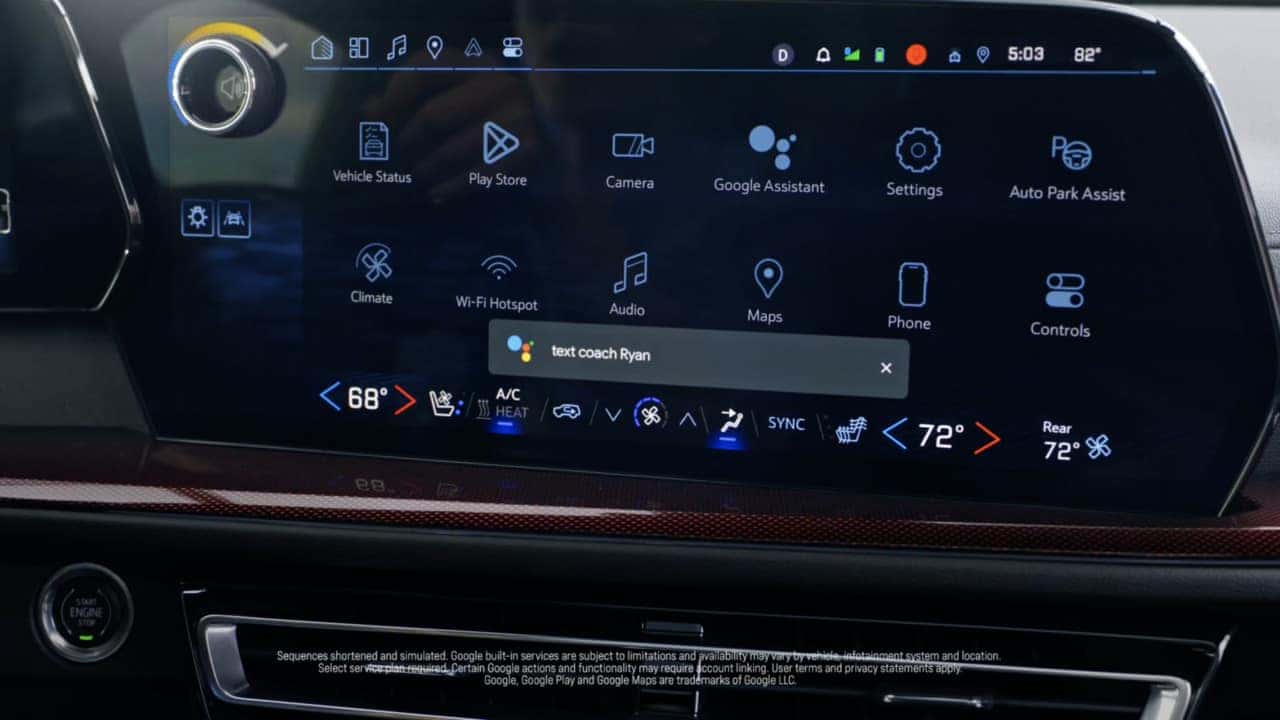 Your truck’s radio system performs several functions, and software glitches can occasionally cause it to malfunction. You might notice a frozen touch screen, Bluetooth frequently dropping your calls, GPS incorrectly showing you’re driving through a lake even though you’re on I-75, sound cutting out during your favorite song, or your radio behaving weirdly after an update. Some drivers also report saved stations disappearing and Apple CarPlay or Android Auto refusing to connect.
Often, these malfunctions occur because your radio system is handling too many functions at once. According to tech experts, outdated software versions struggle to run newer phone apps, which causes system lockups. Weak phone connections can stall your infotainment center, and running too many apps at once can overwhelm your radio’s circuit board. Furthermore, stored data can accumulate, slowing your system down until it freezes.
Before switching into reset mode, try performing a few basic checks. Make sure your truck is fully powered on, not just in accessory mode. Check for blown fuses, and double-check that all your cables are tightly plugged in. Cold Kentucky mornings can turn minor battery issues into major radio problems, so test your battery, especially before winter arrives. Look up your owner’s manual for model-specific troubleshooting options.
Method 1: Soft Reset (Power Cycle) for Quick Fixes
A soft reset is quick and doesn’t result in data loss, much like a phone reboot. The buttons you need to press to perform this function depend on your Silverado’s system. If you have a MyLink system, press the Home and Fast Forward buttons simultaneously for 10 seconds. The screen will go dark, and then the Chevy logo will reappear. If you’re driving a newer model with Google built in, hold down the End Call button on your steering wheel for approximately 10 seconds.
Alternatively, you can try the power button method. Press and hold the power button (usually your volume knob) for 10-20 seconds until the screen goes dark. Let go, wait a bit, then press it again to restart the system. This method takes approximately 30 seconds.
Try this first, as it fixes most minor glitches without any hassle. In addition, this type of reset will retain your favorite stations or paired phones. If your radio still malfunctions after two or three attempts, try one of the methods below.
Method 2: Battery Disconnect Reset for Deeper Issues
Disconnecting the battery can often resolve software issues that simpler methods can’t. You’ll need gloves, safety glasses, and a wrench or socket set (10mm fits most Silverados). First, park on flat ground, shut off the engine, and remove your keys from the ignition. Keep watches, bracelets, and metal tools away from the battery terminals.
Always disconnect the negative terminal first, which is usually marked with a minus sign or a black cover. Loosen the nut, remove the cable, and place it away from anything metal. Wait about 15 minutes for the power to drain completely. When you’re ready, reconnect the cable to the negative terminal.
This method deletes your radio presets, clock, and paired phones. Some radios might ask for security codes afterward, so check your glove box or manual before starting this procedure.
Method 3: Radio Fuse Removal Reset
If your songs are skipping but everything else works fine, you can try a less drastic approach by removing the radio fuse. Find your fuse panel on the passenger side dash or under the hood. For most Silverados, the radio fuse is #45, but double-check your manual because models vary. Use the plastic fuse puller tool, which should be in the fuse box, or needle-nose pliers to grab the fuse without breaking it.
Pull the fuse out and count to 10. Some mechanics recommend waiting a full minute to yield the best results. While it’s out, inspect the metal strip inside the fuse. If it looks broken or black, you’ll need to replace it with a fuse with the same amp rating. This works especially well on basic radio systems that lack advanced touch-screen features.
This method will only affect your radio. Your seat, climate control, and other personalized settings will remain unchanged.
Method 4: Factory Reset Through Infotainment Settings
When you encounter software malfunctions, a factory reset from within the system resolves them. First, check whether a software update might address the issues with your radio. On your touch screen, tap through to Settings → Software → Update to see if any are available. Connect to Wi-Fi if possible, as downloading over cellular can be slow. Once updated, find the reset options at Settings → System → Reset Options.
A factory reset will remove your data, so write down your important settings, including your presets, paired phones, and custom settings. Reserve this option for when your system crashes despite trying updates and simpler resets.
While this reset is the most thorough, it is the most time-consuming to recover from. However, when nothing else works, this often resolves even the most stubborn glitches. Plan to spend at least half an hour reconnecting devices and entering passwords.
Hard Reset Procedures for Unresponsive Screens
If your screen stops responding to taps and swipes, locate the Back or Home button near your audio controls. Pressing it and the End Call button simultaneously, then holding those buttons for about 10 seconds, forces a reboot without turning off your truck.
If that fails, turn your Silverado off completely, wait five minutes, then restart. This gives all systems time to fully power down. Some mechanics recommend combining methods: first, try the steering wheel buttons; second, hold the power button; and, if your screen is still blank, cycle the ignition.
If your screen is still unresponsive after multiple resets, nothing powers on despite your best efforts, or problems recur, you likely have hardware issues. You can check behind your dashboard for loose connections, but this may indicate that it’s time for professional service.
Expert Radio Service at Jack Burford Chevrolet
These reset methods will solve most Silverado radio issues you’ll encounter. Try the soft reset first, and use the other methods only when needed. Always follow safety steps when working with electrical parts. While these procedures will fix many common issues, stubborn problems require professional diagnosis and repair tools.
When these methods fail, our service team at Jack Burford Chevrolet can help. Our technicians and mobile mechanics are experienced with Silverado radio systems and have the diagnostic tools to resolve stereo system issues. We’ll get you back on the road with your radio, navigation, and phone connectivity working again.
Image courtesy of Chevrolet

0 comment(s) so far on How To Reset a Chevrolet Silverado Radio